File Management
Song Master needs to know where your audio files are and where you want it to save the song data files it creates. Use the Settings dialog to set these locations:
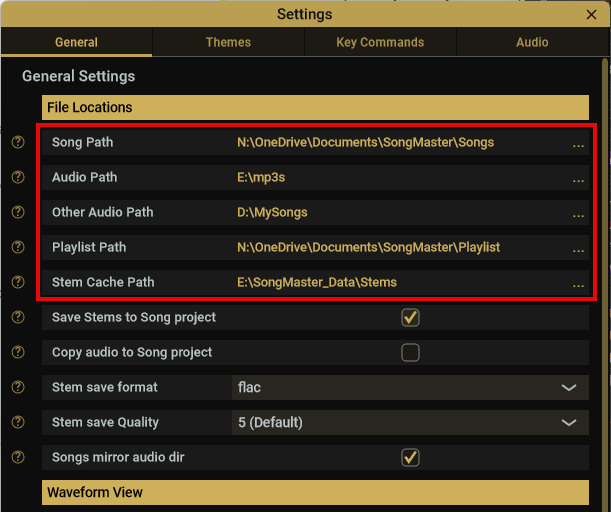
- Song Path: This is where song master will save the data it analyzes along with your edits.
- Audio Path: This is the location of your audio files.
- Other Audio Path: Use this to sepecify a secondary location that you may have audio files that you want to access in Song Master.
- Playlist Path: The path to save Song Master playlists
- Stem Cache Path: The path to store generated stem files
Song Master Save Files
Song Master will save the song data to sub-folders that mirror the path to the audio file. For example, if you open an audio file "my_audio_files/The Rolling Stones/Some Girls/Beast of Burden.m4a" and you have your Audio Path set to "my_audio_files", Song Master will save its data files under the path specficied in Song Path and create folders that mirror the audio path. That is it will store the files at song_path/The Rolling Stones/Some Girls/Beast of Burden.smsong
Set the audio paths to your base audio folder and don't change. Otherwise, Song Master may not be able to find the audio file when you open the song in Song Master.
If you don't want Song Master to mirror the audio subfolders, you can uncheck the Songs mirror audio dir in Settings.
Song Projects
Song Master can now save "songs" into self-contained Song Project folders
Previous versions saved data to a single .song file. In version 5, data is now saved to a folder that contains:
- .song file (similar format as previous version)
- analyzed and edited audio-to-midi notes
- optional: stems
- optional: copy audio to folder
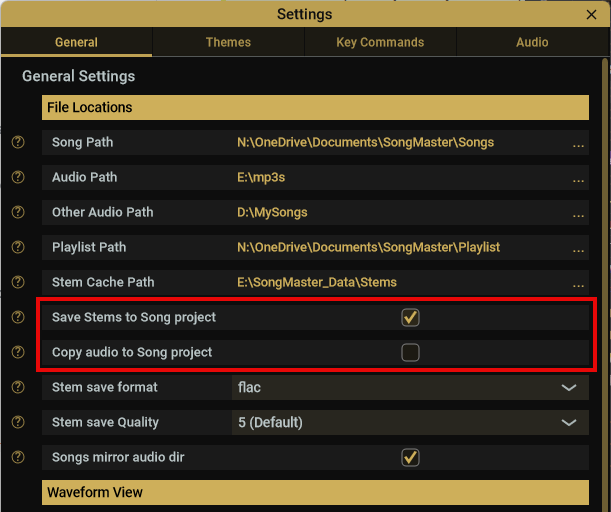
You now have the option to save generated Stem audio tracks to this project folder as well as copying the original stereo audio file.
The advantage of saving stems and original audio to the project file is that everything is nicely contained in one folder. This makes it easy to zip up this folder and send to your band mates.
The previous way is nice if you are concerned with saving a bit of disk space and/or prefer to have your stems saved to another folder or hard drive.
The Settings dialog, has options to save stems inside the project (or continue saving them to another folder) and an option to copy the audio file into the project folder. Pre-5 .songs will automatically be migrated to the new Project folder structure when they are opened.