Prism 1.3 Released
Audio-to-MIDI conversion opens up all kinds of possibilities: transcribing a performance, rebuilding a part with a different instrument, or taking a recorded idea in a new direction. Once you have the notes, a few thoughtful edits can help turn that material into exactly what your project needs.
Prism 1.3 is now available for Windows and macOS. This release builds on March’s 1.2 update with expanded MIDI editing, easier navigation, and improvements to playback and DAW integration. Here’s a closer look at what’s new.
New Toolbar Simplifies MIDI Editing

The updated editing toolbar puts dedicated Smart, Split, and Delete tools within easy reach. Switch tools to suit the task, whether you’re making individual adjustments, dividing notes, or removing unwanted material.
Quantize and Join commands are also accessible from the toolbar, making it more convenient to tighten timing or combine notes as you work through a phrase. Together, these changes make Prism’s editor more useful for refining a conversion before bringing the MIDI into the rest of your arrangement.
New Commands to reshape a performance
Sometimes an edit is about changing the musical character of a part. Prism 1.3 adds several commands for working with note timing and duration:
- Legato connects notes for more continuous phrasing.
- Fixed Length gives selected notes a consistent duration.
- Chordify aligns selected notes to a shared start and end.
For example, Fixed Length can help prepare a phrase for a short, rhythmic synth part. Chordify can turn a staggered group of notes into a block chord, giving you another way to explore the harmony in a performance.
You can also use Make Monophonic to remove overlaps between selected notes, or remove overlaps within individual pitch rows when working with polyphonic material.
Improvements to UI and Workflow
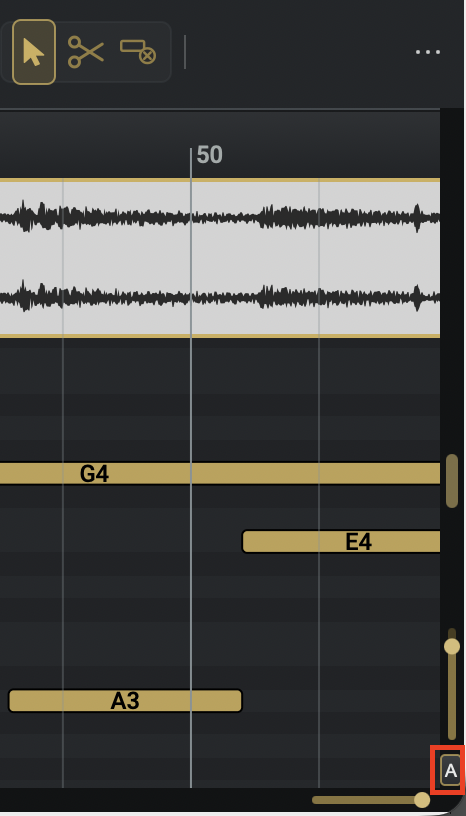
Navigating a passage is easier with the new Auto-Fit control, which brings the active track’s MIDI note range into view. It’s a convenient starting point after analysis or when moving between parts with different ranges.
You can now Shift-click a piano key to select notes at that pitch, making repeated-note edits easier to manage.
Improved trackpad zoom controls also help you move between an overview of the performance and the detail of an individual note.
The waveform display has been updated too, with greater detail at close zoom levels and more efficient rendering for long clips.
A smoother workflow inside your DAW
This release improves playhead tracking in REAPER and LUNA, helping Prism’s display follow the host’s playback position more reliably. For workflows that capture audio without ARA, we’ve also corrected potential issues with tempo and bar-line alignment.
Session recall has received attention as well, with fixes for preserving MIDI edits and restoring playback, visibility, and mixer settings. Track renaming and duplicate track names are handled more reliably, and updated ARA playback caching addresses popping that could occur at small audio buffer sizes.
Additional refinements
Prism 1.3 also includes fixes for splitting notes with snap enabled, improved selection behavior during undo and redo, and stability improvements during analysis and project restoration.
Updated analysis preprocessing helps suppress silence and very low-level background noise before note detection.
Get Prism 1.3
The free update is available now for Windows and macOS. Download the latest installer and try the new editing tools on your next transcription, arrangement, or sound-design project.
Thanks for making music with Prism.
The Aurally Sound team