Song Master 5 and Song Master Pro 5 Are Here
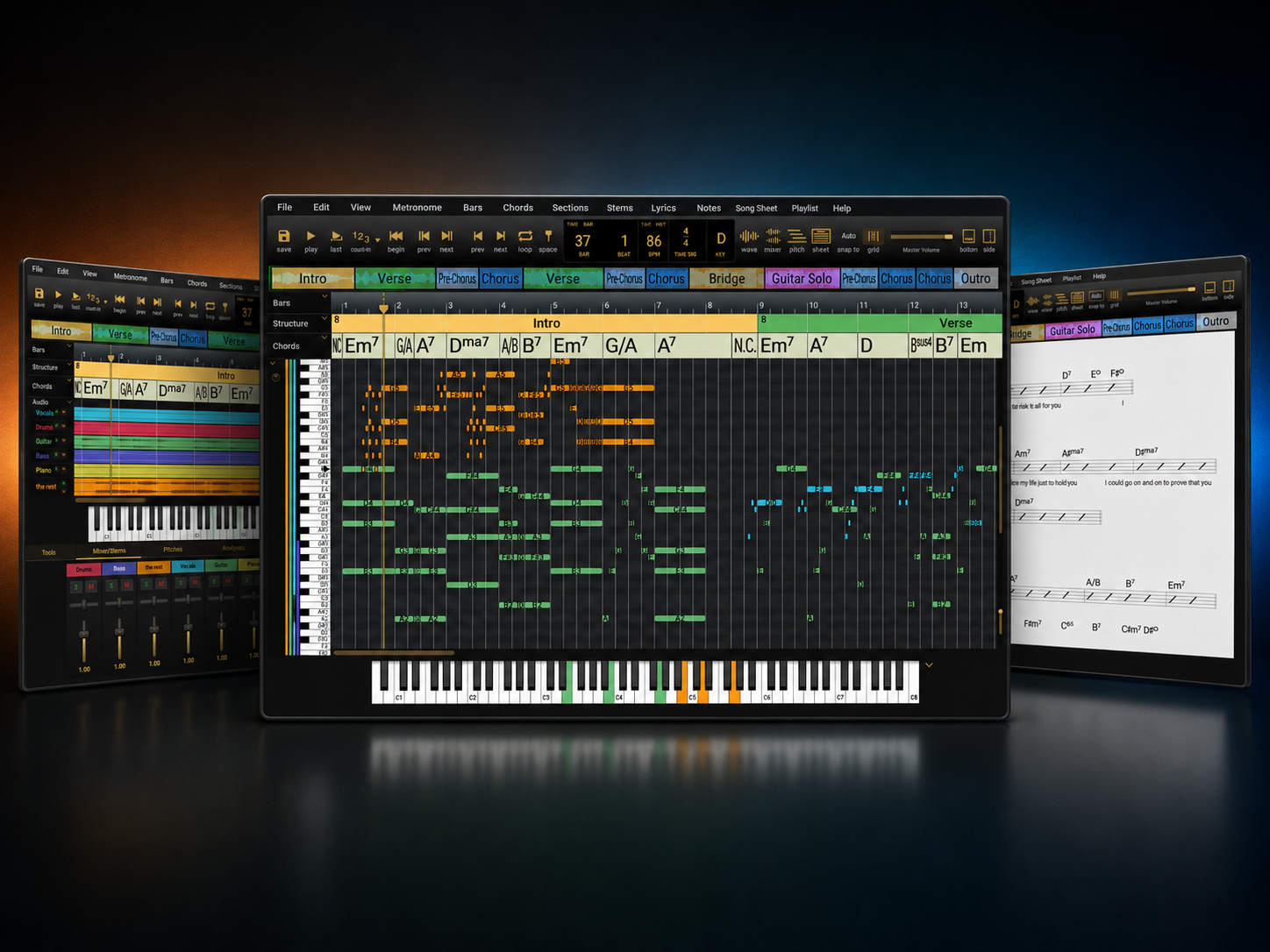
Song Master 5 and Song Master Pro 5 are now available, bringing major upgrades to stem separation, audio-to-MIDI, MIDI editing, project management, and day-to-day workflow.
Version 5 is one of our biggest updates yet. Rather than repeat every detail here, we have put together a full What's New in Song Master 5 guide with screenshots, workflow notes, and a deeper look at the new tools.
Here are some of the headline improvements.
Trident, Our Third-Generation Stem Splitter
Song Master 5 introduces Trident, our new stem separation engine. It can extract high-quality vocal, drum, bass, and "rest" stems, with Song Master Pro adding guitar and piano separation through the 6-stem model.
Trident runs on your computer, so your audio is not sent to the cloud for stem processing. Version 5 also adds clearer progress feedback with estimated time remaining and the ability to abort an extraction in progress.
Prism Audio-to-MIDI in Song Master Pro
Song Master Pro 5 now uses our Prism algorithm for audio-to-MIDI conversion. This is especially powerful when paired with stem separation: isolate an instrument, convert it to MIDI, then edit and refine the result inside Song Master Pro.
A New MIDI Editor
Song Master Pro 5 adds a full MIDI editor for direct note editing. You can edit converted MIDI, adjust note timing and duration, quantize starts and lengths, join notes, remove overlaps, work with velocity, and re-run Prism conversion settings per track.
The result is a much smoother path from audio to editable musical data.
Improved MusicXML Export
MusicXML export has also been expanded in Song Master Pro. You can now choose MIDI tracks to export as musical notes, making it easier to move ideas from Song Master Pro into notation tools such as MuseScore, Dorico, Finale, Sibelius, and others.
Song Projects
Song Master 5 introduces Song Project folders, a new way to keep song data, analyzed MIDI notes, optional stems, and optional source audio together in one self-contained folder.
This makes it easier to archive a song, move it between computers, or zip it up and share it with bandmates or collaborators.
Workflow and UI Improvements
Version 5 also includes improvements across playlists, color themes, the Mixer view, lyrics handling, audio device recovery, Pitch view scrolling and zooming, file browser icons, stereo panning, and many smaller fixes.
For the full walkthrough, including screenshots and additional notes, read the full What's New in Song Master 5 page.