Song Master 5.2: What's New
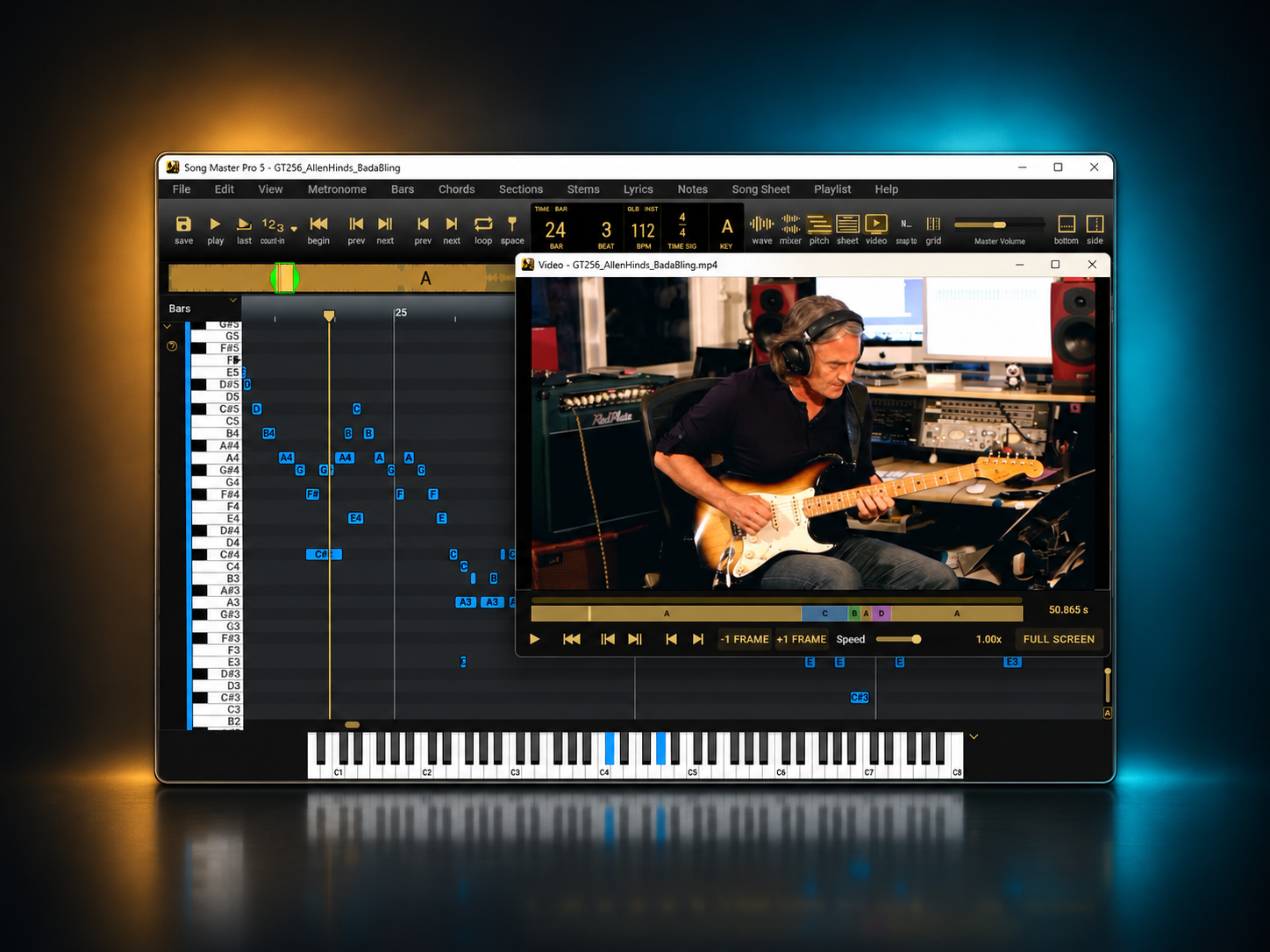
The latest Song Master and Song Master Pro update brings video playback, faster stem separation, drum audio-to-midi (PRO), and improvements to timing, editing, and everyday practice.
Here are the highlights since version 5. Features marked [Pro] are exclusive to Song Master Pro; everything else applies to both editions.
NEW: Learn and Practice with Video
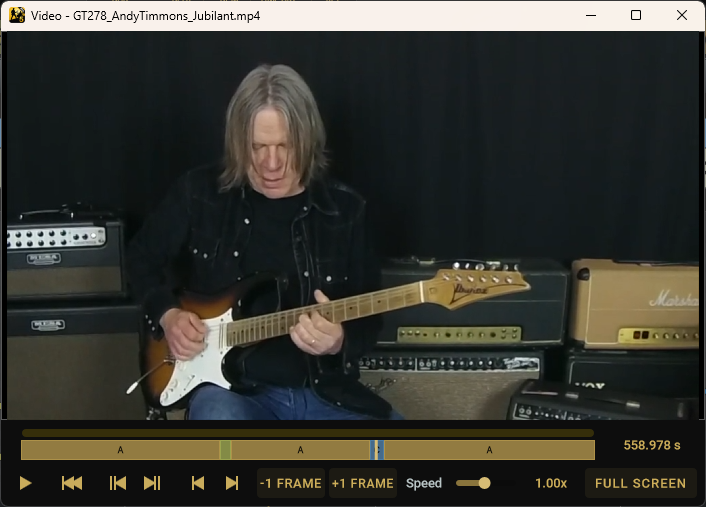
Open a video and use Song Master's analysis and practice tools on its audio while watching a synchronized video window.
Slow playback, scrub or step through individual frames, jump between bars and sections, and adjust loops directly on the video timeline. Full-screen viewing helps you focus on the performance.
NEW: Faster Stem Separation on Your GPU
Spend less time waiting for stems. With GPU available, expect 2x to 10x+ speedups. We've also sped up CPU processong by 20-30%.
macOS
On macOS, we've optimized our models for Apple Silicon and Intel processors. For Apple Silicon processors, expect 4x to 10x+ faster depending on apple computer hardware. For Intel processors, expect 2x faster.
For a 4 min song, Apple M1 processors take about 50 secs, while an Apple M5 Max just 5 secs.
Windows
Performance on NVIDIA GPU depends greatly on the GPU. For a 4 min song, an NVIDIA RTX 3090 takes about 5 secs; performance on lower end GPUs may actually be slower than on CPU.
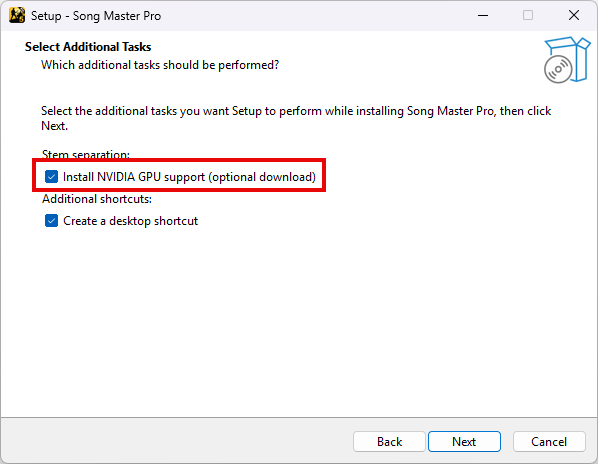
If you have an NVIDIA GPU, select optional NVIDIA GPU support during installation.
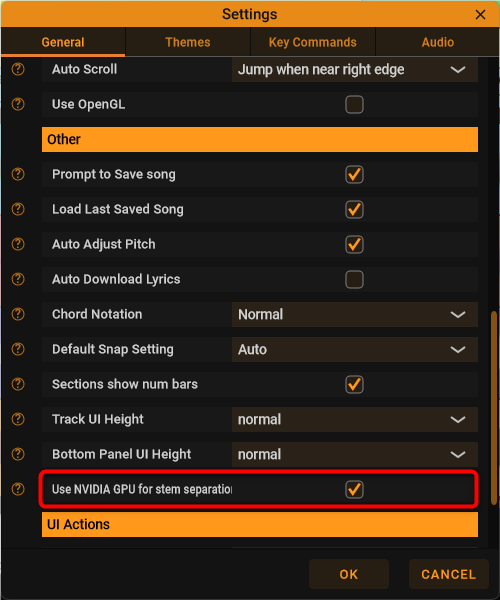
If NVidia GPU support is installed, you can enable/disable Use NVIDIA GPU for stem separation in Settings. CPU processing remains available if GPU support is unavailable or processing fails. Speed gains vary with your hardware. The CPU version is highly optimized so it may be faster than your GPU video card.
NEW: Turn Drum Performances into MIDI [Pro]
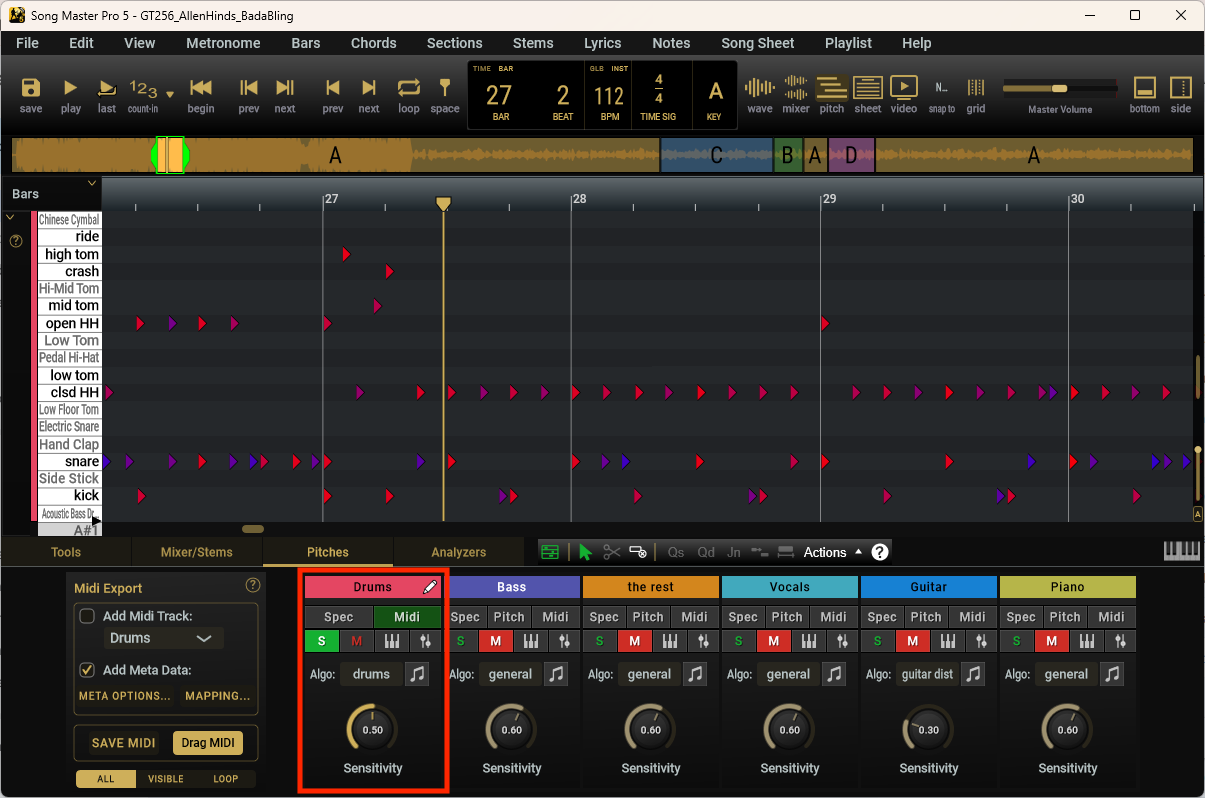
Convert drum recordings or separated drum stems into editable MIDI, capturing nine drum types: kick, snare, closed and open hi-hat, three toms, crash, and ride.
Adjust detection sensitivity, refine hit timing and velocity, and audition the results with built-in drum sampler. Save or drag the MIDI into your music software using General MIDI, presets for popular drum instruments, or your own custom mapping. Drum parts can also be exported as percussion notation in MusicXML.
Improvements
- More precise beat timing preserves variations within bars when analysis identifies bar starts, with improved snapping and metronome alignment.
- Choose a default snap setting for new songs, save metronome subdivisions with each song, and return to your last browsed folders when restarted.
- [Pro] Auto-Fit MIDI Notes brings the active track's MIDI notes into view, while faster note editing and clearer velocity colours make refining a performance easier.
- [Pro] Set Song Sheet lyric sizes, choose whether MusicXML includes chord names, and export MIDI tempo maps that follow individual beat intervals.
Important Fixes
- Improved playback stability when seeking, looping, and changing speed or pitch, with fewer drop outs when starting or stopping.
- Fixed potential crash involving invalid lyric files and time-signature edits with undo/redo.
- Fixed locating audio stored beside a song file when audio is saved with Project
- Fixed clipped lyrics in Song Sheet view.
- [Pro] Improved MusicXML rhythm and triplet handling, including long notes being split into unnecessary ties
Complete List of Updates
- For a complete list of bug fixes, tweaks, and improvements, Read the Song Master 5.2 release notes
- Learn more about Song Master here