Why Choose Song Master Pro?
Song Master Pro isn't just another stem separator or audio-to-MIDI tool. It's built around how musicians actually practice, learn, and play together. Here are the key reasons to choose it.
1. Your music never leaves your machine
Every stem separation and audio-to-MIDI conversion happens locally, on your own computer. Nothing gets uploaded to a server, which means:
-
Your audio files, practice sessions, and listening habits stay private — no cloud company is watching what you play
-
You're not relying on an internet connection to process your music
-
You're not contributing to the energy and water costs tied to cloud-based AI processing, a growing concern as more software quietly routes everything through the cloud
2. No subscription required
Song Master Pro is a one-time purchase. Song Master Pro 5 is priced at $139.95, with no recurring fee. A typical subscription-based competitor runs $9.99/month, which looks cheaper at first glance but adds up the longer you use it:
| Timeframe | Subscription at $9.99/mo | Song Master Pro (one-time) | Savings with Song Master Pro |
|---|---|---|---|
| 1 year | $119.88 | $139.95 | –$20.07 (subscription still cheaper here) |
| 14 months | $139.86 | $139.95 | Roughly even — this is the break-even point |
| 2 years | $239.76 | $139.95 | $99.81 |
| 3 years | $359.64 | $139.95 | $219.69 |
| 5 years | $599.40 | $139.95 | $459.45 |
The one-time purchase costs more than a single year of the subscription, so it isn't an instant win. But past the 14-month mark, Song Master Pro is cheaper every month after, and the gap only widens the longer you keep using it — by year five, you'd have spent over four times as much on a subscription for the same core functionality. After the initial purchase, it's yours for good.
3. High-quality stems
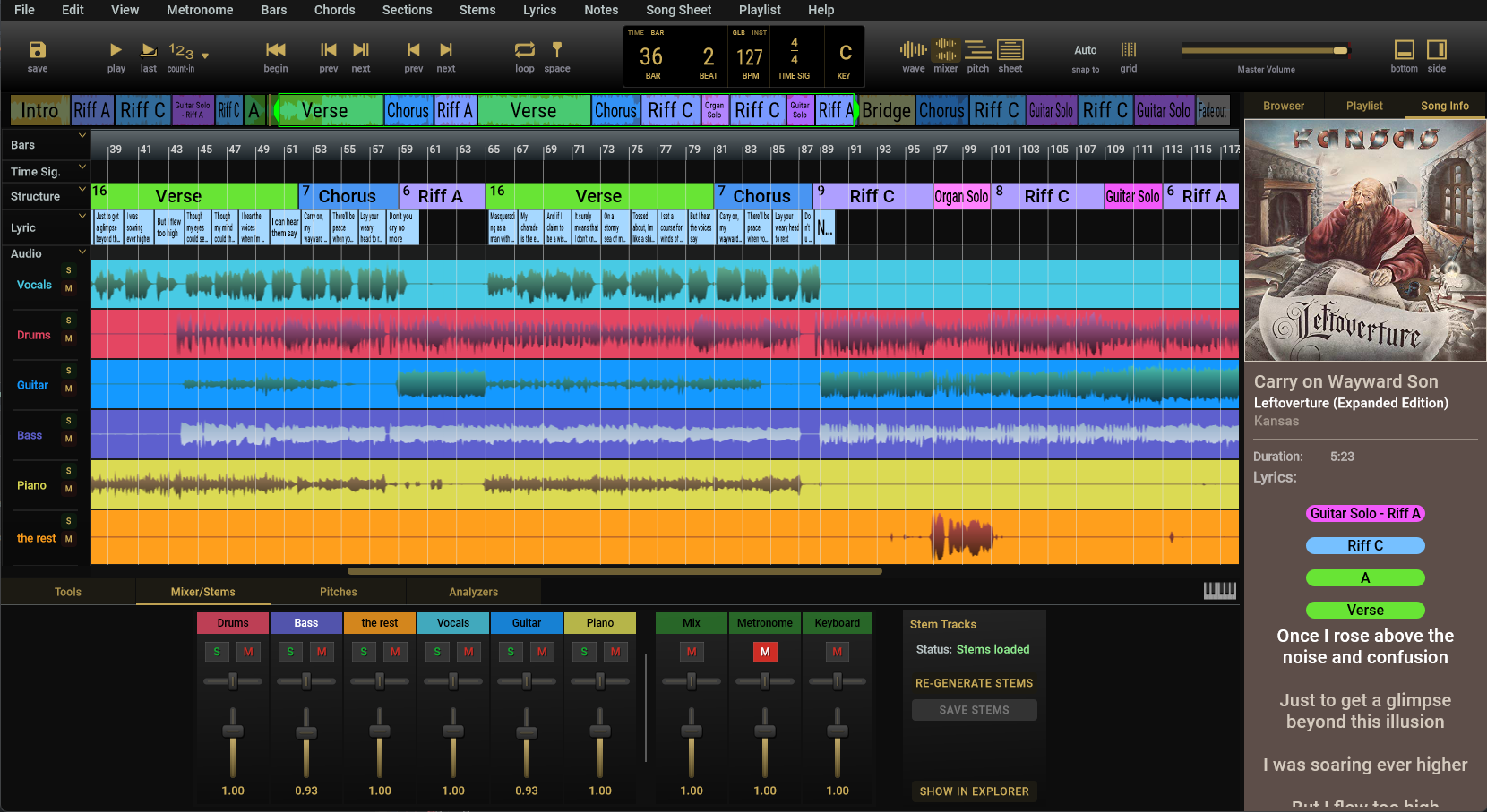
Song Master 5 extracts vocal, drum, bass, and remaining-instrumental stems in high quality. The Pro version adds guitar and piano through a six-stem model. Read more here.
4. High-quality audio-to-MIDI, however you want to use it
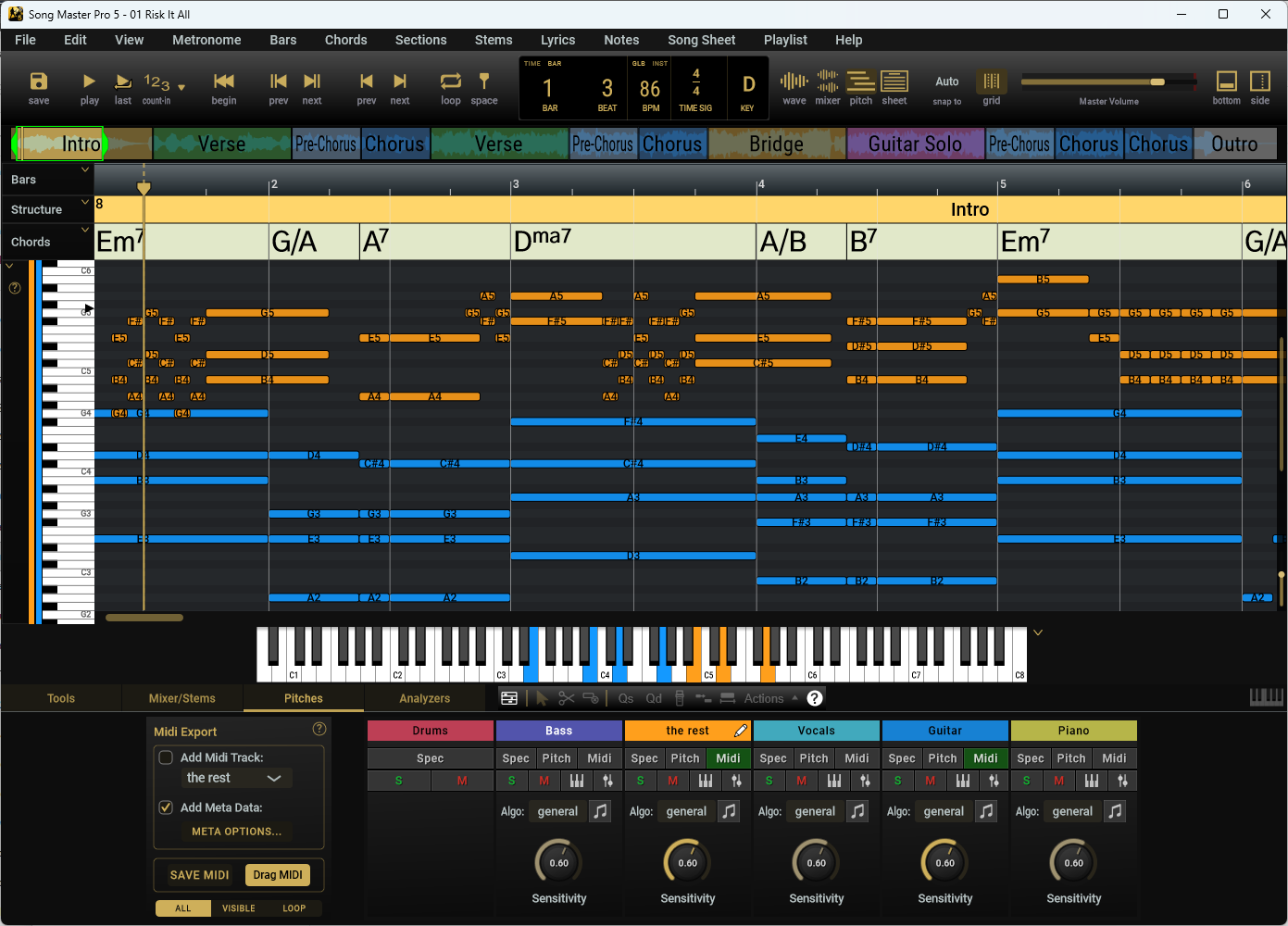
Powered by the Prism algorithm, Song Master Pro's audio-to-MIDI conversion goes well beyond basic transcription. It's especially useful combined with stem separation: isolate an instrument, convert it to MIDI, then edit and refine it right in the application. Learn more here.
5. Automatic chart generation
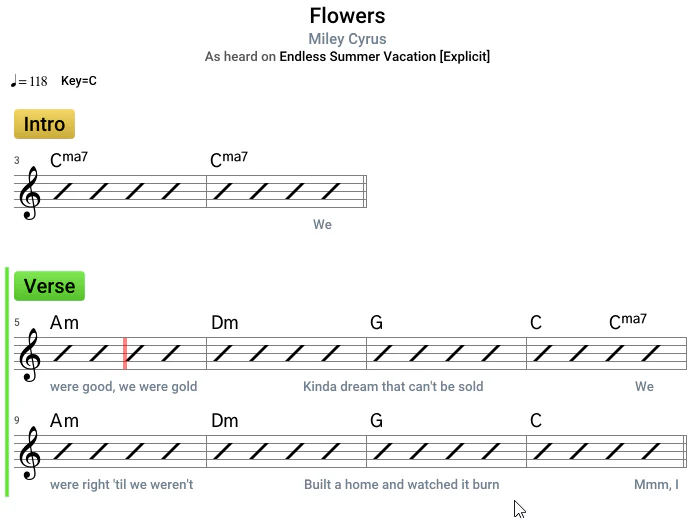
Clean up what Prism automatically detects and you've got a usable chart in minutes. Song Master Pro's MusicXML export lets you choose which MIDI tracks to export as notation, so ideas move straight into MuseScore, Dorico, Finale, or Sibelius, a direct line from recording to a chart your band can read. See this article for more information.
6. Share more than just audio
When you share a file from Song Master Pro, you're not just sending a stem or a recording — you're sharing your annotations and arrangement too. That means the people you play with can:
-
See exactly where you marked sections, cues, and changes
-
Practice from the same reference points you did
-
Lock in together faster, because everyone's looking at the same roadmap
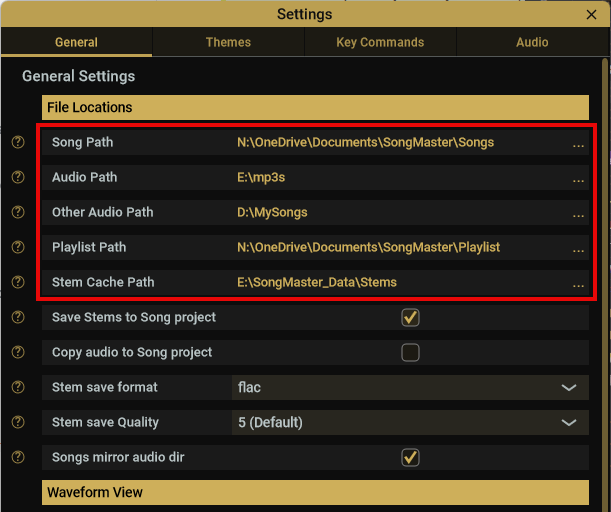
More on this in File management article.
7. Annotate the timeline, practice smarter
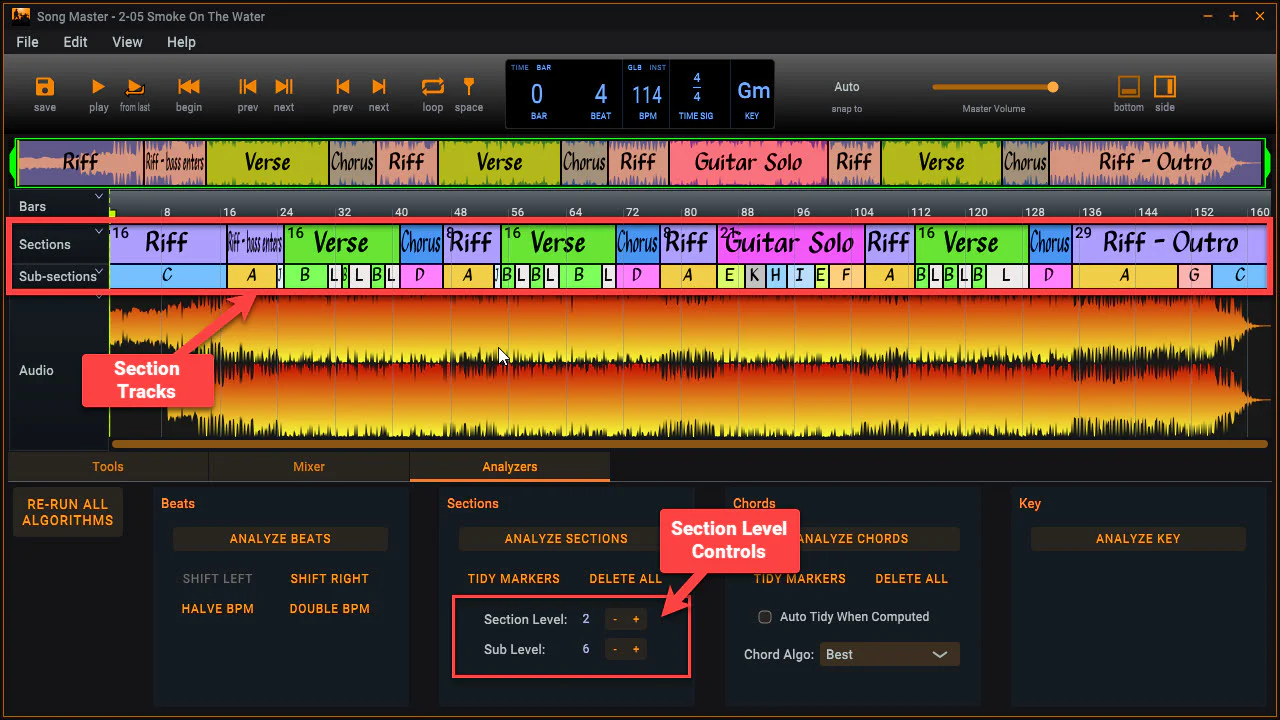
Mark sections directly on the timeline so you spend less time hunting for the part you need and more time playing it. Read more about hierarchical section tracks here and see this use case in action on this video.
8. Built for how musicians actually practice
Drag any song into the interface and Song Master Pro automatically detects BPM, key, chord structure, and song arrangement, no manual tagging required. From there, the workflow is built around how you'd actually sit down and learn a part: slow the song down without affecting pitch quality, loop just the section you're stuck on, and pull the stems you need (say, just drums and bass) to isolate what you're trying to hear. Switch to the MIDI view and you can see the exact notes being played, zoomed in note by note, so there's no guessing at what's happening in a tricky passage.
-
Phrase Trainer starts a tricky passage slow, then gradually speeds it up over time so you acclimate and lock in at full tempo
-
Chord view shows where each chord sits on a keyboard, handy when piano isn't your primary instrument
-
Export directly to PDF or MusicXML once you've worked a song out, so it's ready for band practice or your notation software of choice
Watch it in action in this video.
Wrapping up
Whether you're transcribing a setlist, practicing a tricky passage, or sharing arrangement notes with your band, Song Master Pro is built to keep your workflow private, fast, and musician-first, with no subscription required.
Ready to get started? Try Song Master Pro.